Product
What is a product
A product is a banking service offering that determines both the account capabilities AND which payment services your customers can access, but it's not something you build yourself. Instead, Cross River creates and configures each product based on your specific business model, payment flows, and customer needs. Think of a product as a service package blueprint: a "Business Checking" product or a "High-Yield Savings" product, each with its own set of features, limits, and enabled payment rails.
For example, if you're a fintech serving small businesses, we might set up a "Business Checking" product configured with Instant payments for instant transfers, wire capabilities for large B2B payments, and ACH for payroll, all with limits and features tailored to your requirements.
During onboarding you receive a unique Product ID (a GUID) for each of your products. This ID is used to create an account.
Role of the product
The product serves as your service configuration control point. It determines which payment services are available (RTP, wires, ACH, etc.), what limits apply (daily transaction amounts, maximum transfers), which features are enabled (card issuing, interest accrual, sub-accounts, statements), and what rules govern customer behavior. When Cross River creates a product for you, we translate your business requirements into a technical configuration that activates the right banking capabilities.
For example, if you need instant payments for a consumer app, Cross River configures a product with Instant Payments enabled and appropriate consumer limits. On the other hand, if you're serving businesses that need international wires, they'll configure different products with wire capabilities and higher transaction thresholds.
A product is a reusable template for creating accounts. Accounts created with the same product share that product's configuration for features, limits, and payment services.
Product hierarchy
The hierarchy flows from:
Partner → Product → Account
Partner → Customer
Customer + Account
- Partner (you): Your organization in the Cross River system
- Product (your offering): The service packages your RM creates for you (e.g., "Premium Business Checking", "Consumer Savings")
- Customer (your end user): The individuals or businesses using your platform
- Account (banking account): Individual banking accounts your customers open using your Products
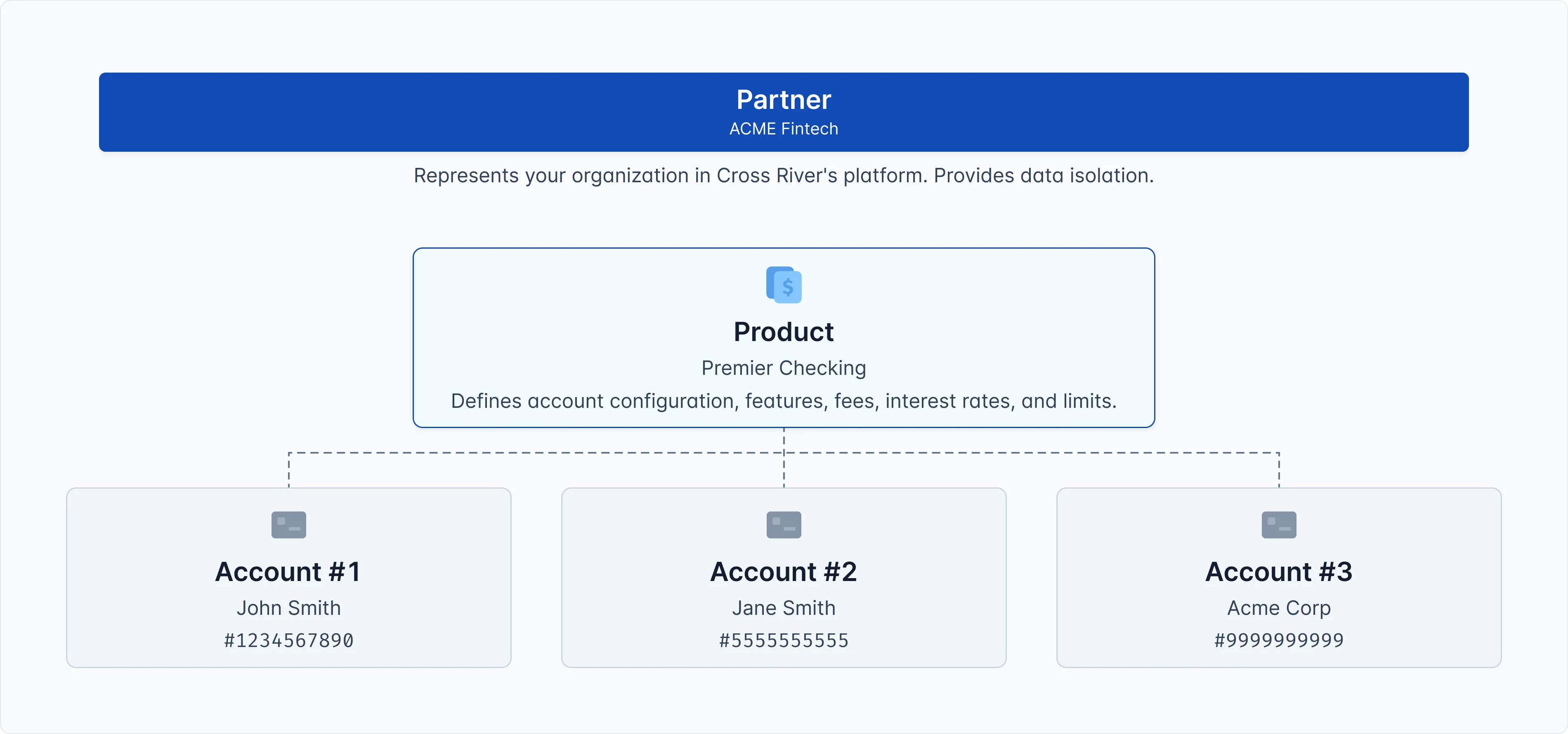
Here's how a product structures your accounts:
- Partner: ACME Fintech (your organization)
- Product: Premier Checking (the account type you offer)
- Account #1: John Smith's account #1234567890
- Account #2: Jane Smith's account #5555555555
- Account #3: Acme Corp's account #9999999999
Notice that one product (Premier Checking) can have many accounts opened under it. Each account follows the same rules defined by the product.
Key concepts
Configuration Inheritance
Products define the baseline; Accounts inherit and can override. This two-tier model lets you serve most customers with standard Product settings while accommodating high-value or special-case customers at the Account level. Think of products as templates - you define a Premier Checking product once, then multiple accounts can be created using that template.
Multi-Product Strategy
Most Partners have multiple Products because a single Product configuration can't serve all use cases. Common patterns:
- Segmentation: Consumer vs Business products
- Tiering: Basic, Premium, Enterprise products with different limits
Relationship to other entities
Product ↔ Partner
Each Product belongs exclusively to one Partner and cannot be shared across Partners. Your Partner entity owns all your Products. When you need a new Product or changes to an existing one, you work with Cross River.
Product ↔ Customer
Customers never interact directly with Products. They don't "choose" or "subscribe to" a Product. Instead, when an Account is created, you (the Partner) determine which Product to use as the template behind the scenes.
Product ↔ Account
The Product serves as the configuration template for Accounts. When an Account is created, it's created "from" or "based on" a specific Product, inheriting all that Product's settings
Related concepts
- Partner
- Customer
- Account