Lending
- Get started with Cross River APIs.
- Register for hooks.
Loan APIs
The Lending platform includes a robust set of API calls to allow you to create, update, and manage your loans. The platform consists of a set of interconnected micro services that communicates internally using messages. The platform is designed with high fidelity, high performance and eventual consistency in mind.
- Oversight UI for policies and rules
- preApproval UI and API for Applications
- Arix-Origination API for issuing loans
- Manual Review UI for working the exception queue detected by MPLLifeCycle
- Arix-funding API for making payments
- Selling UI and API for purchasing loans
- Contracts UI for viewing configuration
- Hooks UI and API for listening to events
IMPORTANT You must have the following IP addresses allowlisted:
Sandbox - 66.206.202.39 , 66.206.202.12
Production -66.206.202.62 , 66.206.202.15
Lending status page
Sign up for maintenance updates and see the current status of the Arix system at https://crossriverarix.statuspage.io
Where to start
Reach out to your RM for your sandbox API Client Credentials and the Lending Postman collection to get you started.
Lending web application
The Cross River Lending UI provides a visual interface for managing your lending operations. The UI allows for self-service and offers a no-code alternative for viewing loans, taking actions, setting up hook registrations, purchasing loans, and more.
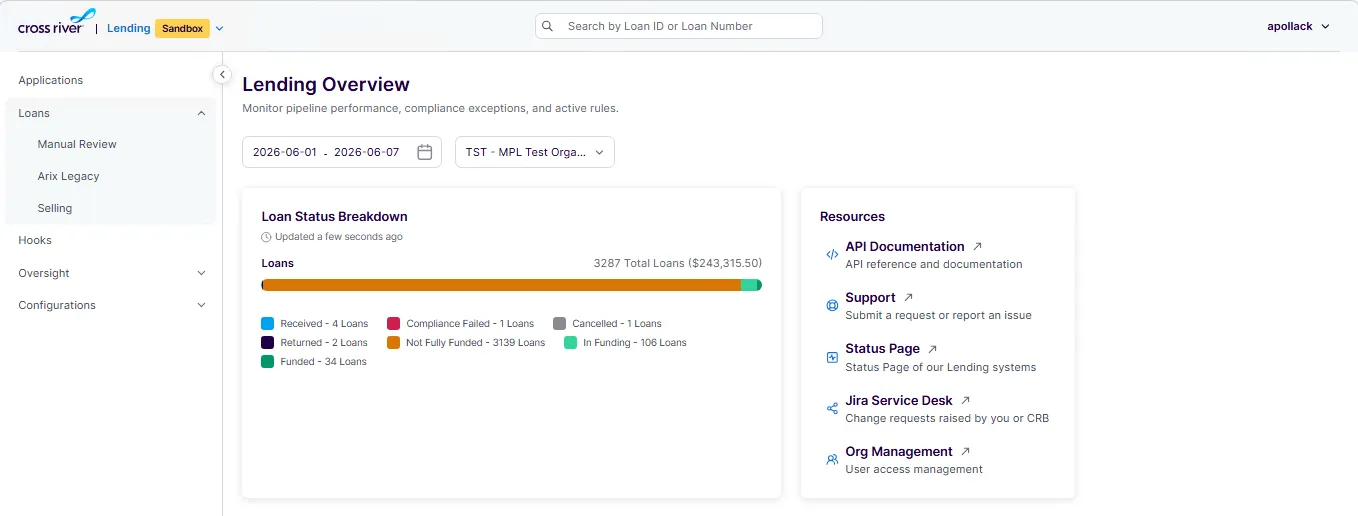
Environment | URL |
|---|---|
Sandbox | https://lendingappsandbox.crbcos.com/ |
Production | https://lendingapp.crbcos.com/ |
Access & Prerequisites
- VPN: You must connect through an allow-listed VPN to access the Lending UI.
- User Creation & Permissions: User accounts and permissions are provisioned through Org management portal by your Organization Admin.
- Setup Assistance: Contact lending.support (at) crossriver, to ensure your organization's setup is complete, and all access requirements are in place.
API reference documentation
Click each of the links for API reference documentation. These calls create loans and update loan information.
- Application decisioning POST /Applications/{partner_schema_id}
- Create and update a loan POST /Loan
- Add loan documents POST /Loan/{Id}/Attachments
- Request new payment rails PUT /Loan/{Id}/FundingInfo
- Get loan details by ID GET /LoanDetail/{Id}
- Cancel a loan PUT /Loan/{{loanId}}/Cancel